
Simple Apple Notes Planning System
I have tried every single planning tool that exists.
I'm not exaggerating. Notion dashboards, Monday.com boards, excel spreadsheets. You name it, I've tried to make it work for the way I plan my life.
But the problem with all of these tools, in my opinion, is they overcomplicate the planning process with a bunch of unnecessary functionality.
As I would build inside of these tools, I always felt like I was spending more time managing the tool than managing my life.
So I brought it back down to basics and built what I call a Motion Planner inside of Apple Notes that helps me plan and organize everything that’s in my head across all of the domains in my life.
It's designed around simplicity and momentum.
It helps to put priorities into focus, while reducing cognitive load.
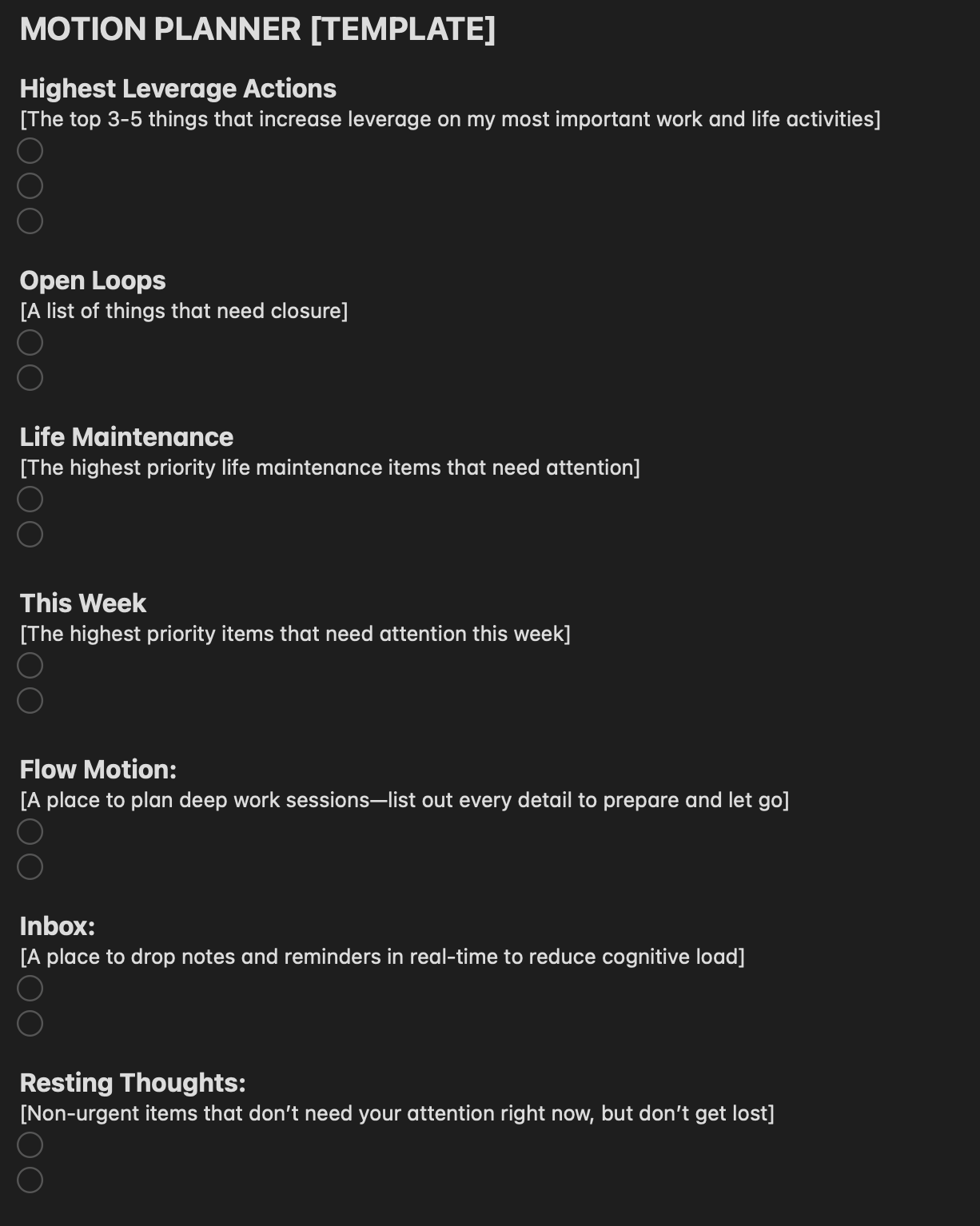
Here's a screenshot (below it is a breakdown of how to use it).
How To Use It
I work with this template each week, resetting my highest leverage work, closing open loops, identifying core life maintenance items and setting my week ahead.
Highest leverage work is meant to focus you, so keep this list tight. Five items max. Think of them as the biggest goals you have for your work and life that if you were to accomplish them now, they would bring the most value to what you do.
Open loops are important, dumping these items here allows you to keep them in motion, without having to overthink them. Every week I try to take action against at least one, and to keep this list empty.
Life maintenance is a list of the things you need to do to keep your life in order. Think: getting an oil change, fixing the gutters, doing taxes. The things that are inconsistent, but need attention.
This week is a place to define how you want to spend your time. What needs your attention most, what actions you want to take to feel healthy, what needs to get done so you direct your life and work forward.
Flow motion is a place to plan deep work sessions. I will plan one session at a time ahead of the deep work block to list out every little thing that needs to get done, to keep my focus and attention on the action at hand. This ignites dopamine and keeps me from getting distracted. I delete each motion once the work block is complete to reset for the next.
Inbox is a place to drop notes and reminders that pop up in real time throughout the week. I try to clear this list out each week as I reset, and place the items here where they need to go for the future.
Resting thoughts is a place to drop non-urgent items that don’t need your attention right away, but you won’t forget. This helps you to reduce cognitive load across all domains of life, so you don’t need to hold them in your mind, but that don’t get lost in the day-to-day. I try to clean this list regularly so I remove things that change organically, or are no longer relevant.
Tip:
This is a fantastic tool, but it works even better when you pair it with your calendar. Laying out your “This Week” items in your calendar allows you to prioritize your time against these items, while also reflecting on if you’re over planning, or under planning.
Also, setting a weekly sync time block to go through and flush out the lists keeps the planner from getting overloaded and gives you a chance to re-sync on what is important.
Try it out and see what you think. My clients love this tool for its ability to keep things moving, while staying focused and removing distraction.
If you wan to take this further, book a free Momentum Call and we can flush out how to personalize this just for you.